
Sutherlin School District Introduces Rooms: A New Way to Stay Connected
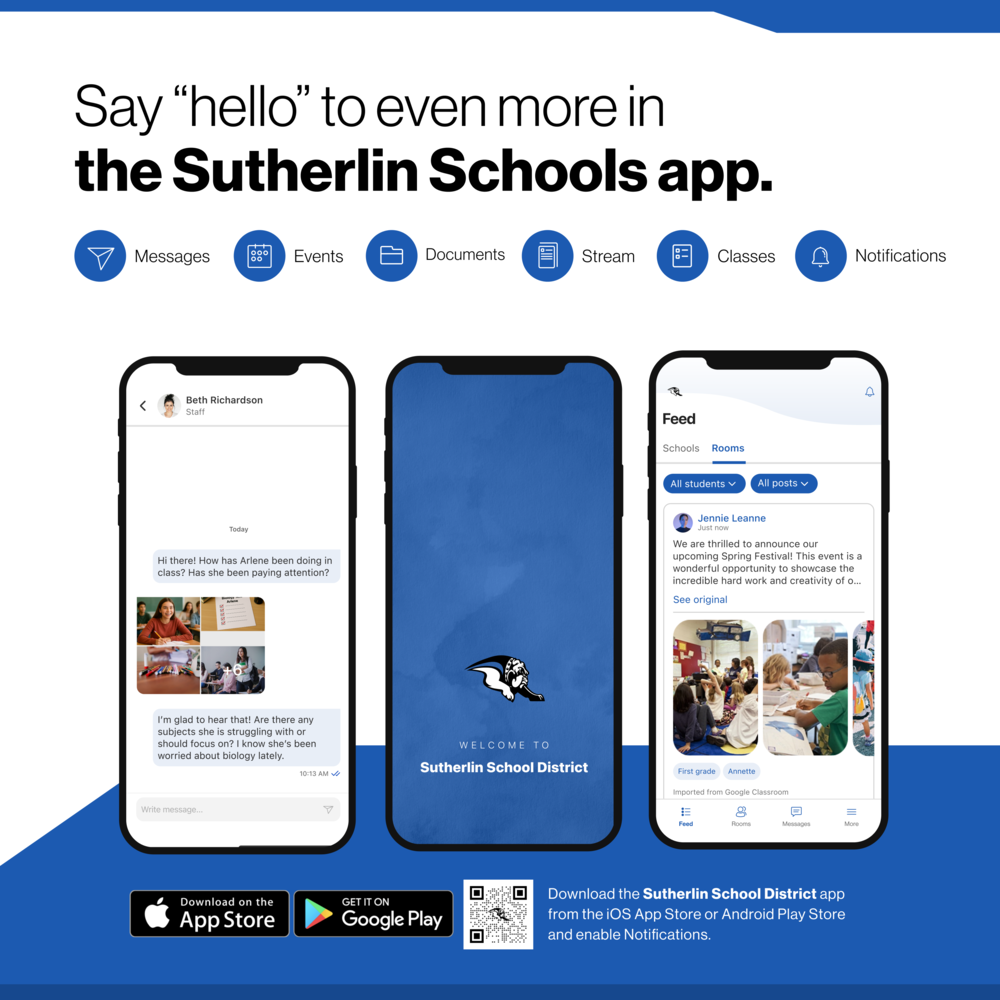
At Sutherlin School District, we know that strong communication between schools and families is one of the most important factors in student success. That's why we're excited to announce the launch of Rooms, a new communication tool built directly into the Sutherlin School District App.
Rooms provides a safe, secure, and convenient way for families, teachers, coaches, and staff to communicate—all in one place.
What is Rooms?
Rooms is a built-in feature of the Sutherlin School District App that combines school news, classroom updates, and direct messaging into a single platform. Instead of juggling multiple communication tools, email chains, text messages, and apps, families can access everything they need through one easy-to-use system.
Whether you're checking a classroom announcement, receiving a message from a teacher, looking up a school event, or viewing district news, Rooms keeps it all connected.
Why Are We Making This Change?
Our goal is simple: make communication easier, more consistent, and more accessible for families.
Rooms allows us to:
Keep all school communication in one location
Provide secure two-way messaging between families and educators
Reduce the number of apps and platforms families need to monitor
Improve communication across classrooms, activities, athletics, and schools
Ensure important information reaches families quickly
As we continue to look for ways to better serve students and families, Rooms helps us create a more connected school community.
Key Features for Families
One Place for Everything
Access district news, school announcements, classroom updates, athletic information, lunch menus, and direct messages all within the Sutherlin School District App.
Secure Two-Way Messaging
Communicate directly with teachers, coaches, and staff through a protected platform designed specifically for schools.
Automatic Notifications
Families can receive notifications when new messages are available, helping ensure important information doesn't get missed.
Multiple Children, One Account
Parents with students in multiple schools or grade levels can access all of their children's classrooms and communications from a single account.
Translation Support
Built-in language tools help families receive communications in their preferred language whenever available.
Safe and Moderated Communication
Rooms includes built-in safety features and moderation tools that help maintain professional, school-focused communication.
What to Expect
Rooms will become the Sutherlin School District's primary communication platform for teachers, coaches, staff, and families.
Launch Schedule:
Summer School Programs: June 23, 2026
2026–27 School Year: August 26, 2026
Families will begin receiving invitations to connect their accounts prior to launch.
Getting Started
Getting connected is easy:
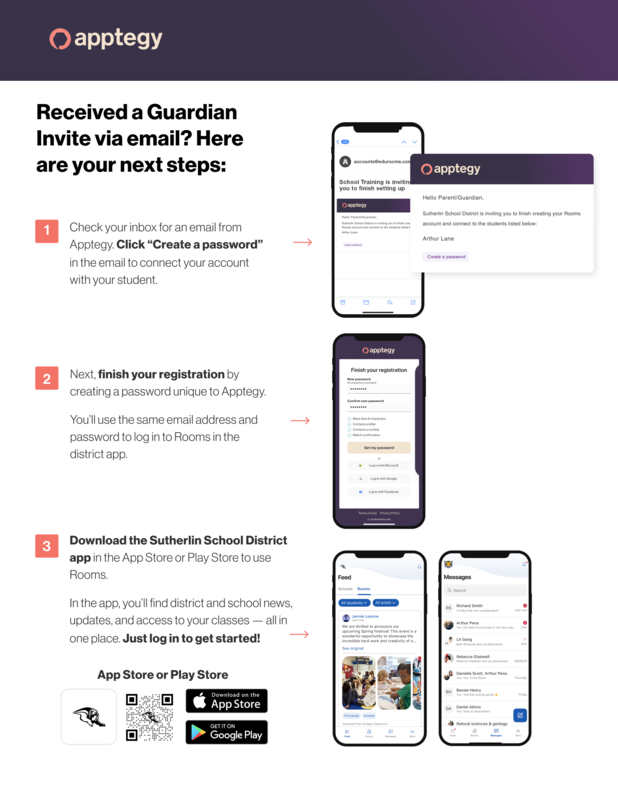
Watch for an email invitation from Apptegy.
Select "Create a Password" to activate your account.
Complete your registration using the email address on file with your child's school.
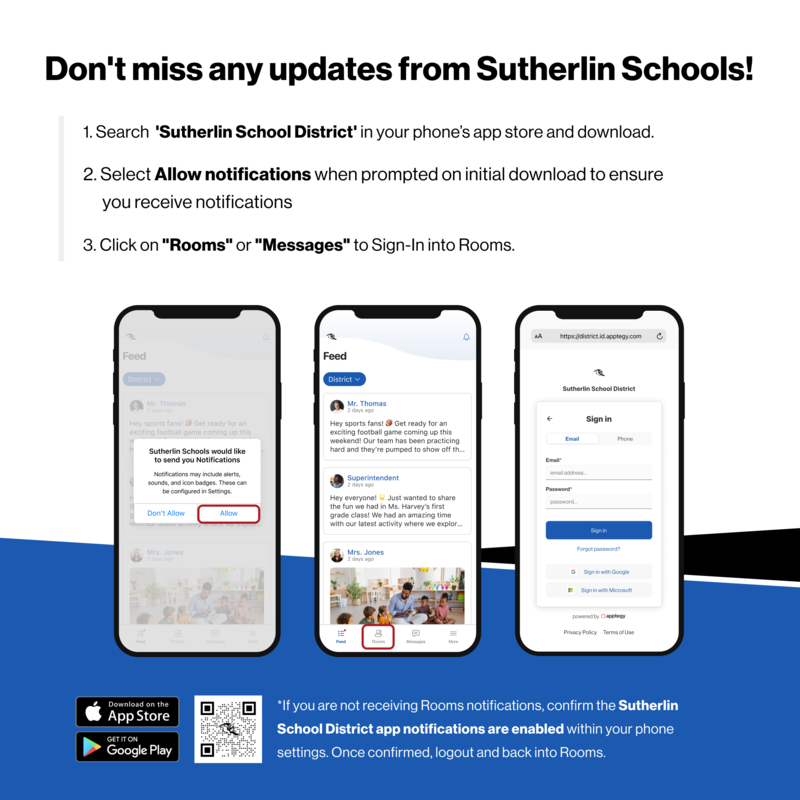
Download or update the Sutherlin School District App from the Apple App Store or Google Play Store.
Enable notifications to receive important messages and updates.
Open the app and select Rooms to begin connecting with your child's teachers and school.
If you have already downloaded the Sutherlin School District App, please make sure you have updated to the latest version before Rooms launches.
We Look Forward to Connecting With You
We are excited to bring communication, updates, and school information together in one clear and convenient location. Thank you for partnering with us as we continue to strengthen the connection between home and school.
Together, we can ensure every student has the support they need to thrive.
Google Play - Sutherlin School App
Apple Store - Sutherlin School App